


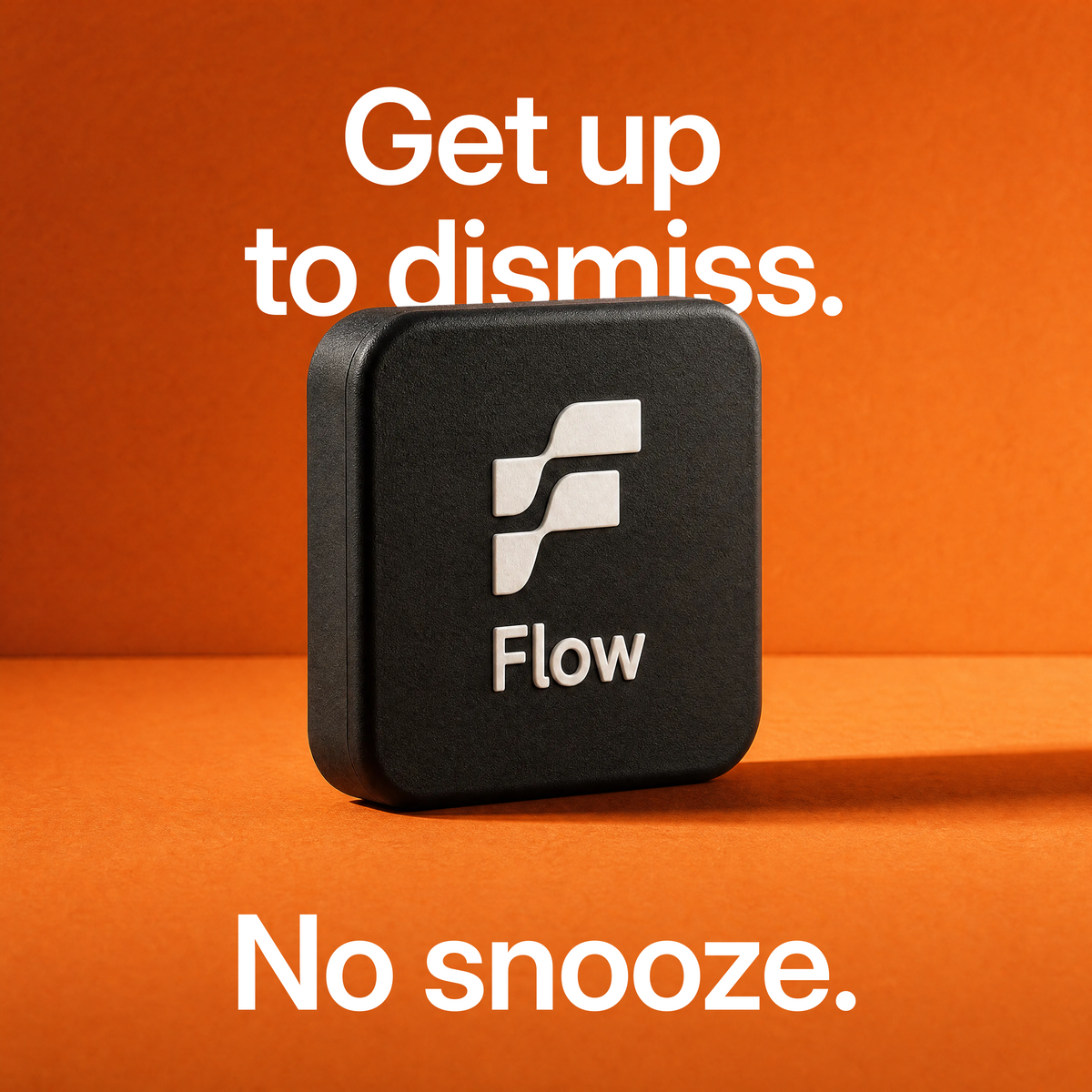


Flow Alarm
Flow Alarm
70% OFF + Free Gifts
Limited bundle offer, ends soon
 Free
Free Shipping
 Free
iOS
Free
iOSCompanion App
Guarantee
Couldn't load pickup availability
Deliver to
Estimated: Tue, Jun 16–Fri, Jun 19
Your delivery location


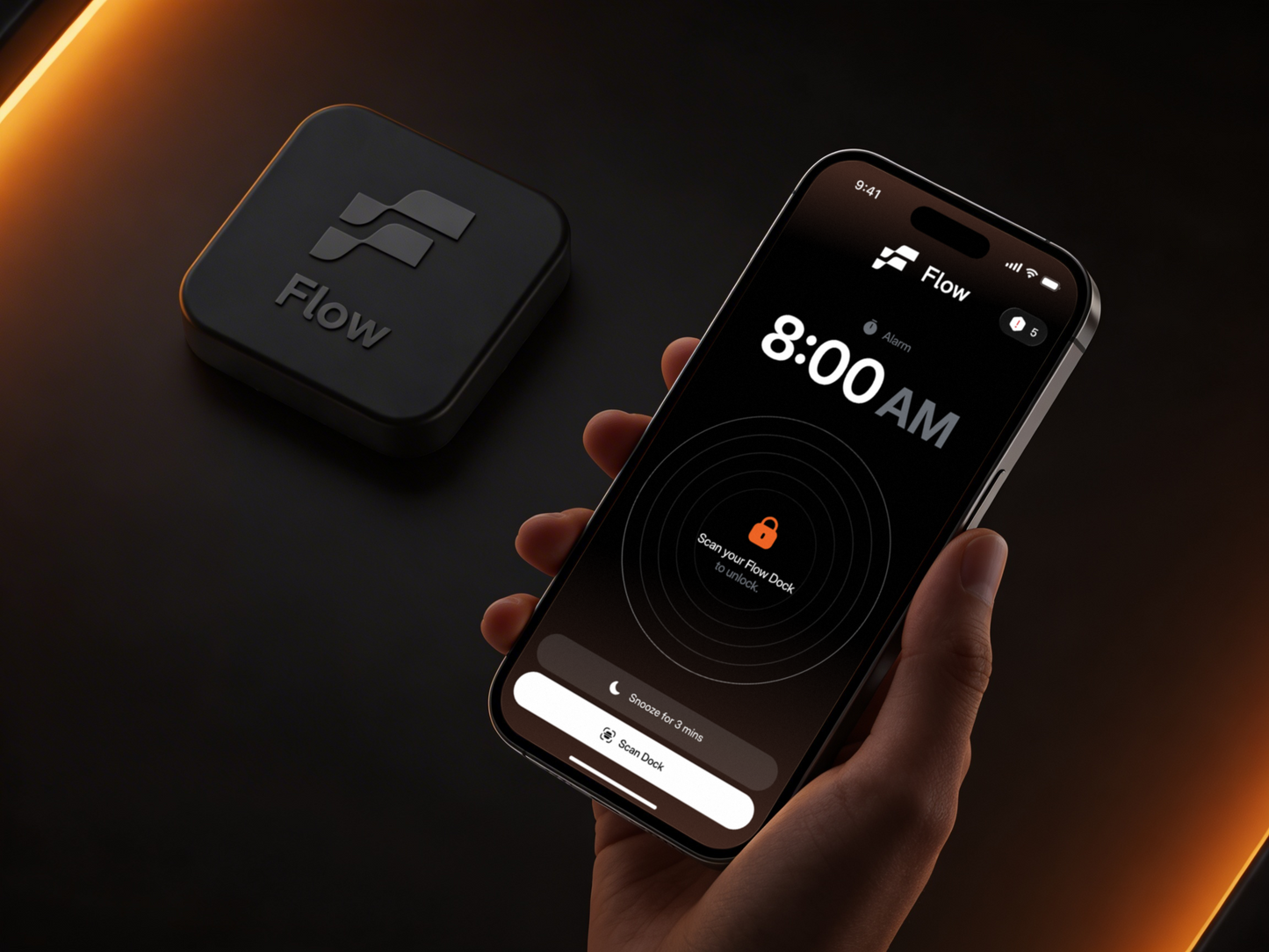

How does it work?

Open the Flow App and create your first alarm. Takes only 10 seconds.
Additionally, you can change your alarm sound, choose which apps to block, and more.

Stick it in your bathroom, kitchen, or anywhere away from your bed. Flow Dock is small, wireless, and stays put.

It rings. You get one snooze if enabled, but you can't dismiss it from bed. The only way to stop it is to get up.

Walk to your dock, scan it with your phone, and you're up. Morning started.

More than an alarm clock
Set your alarm. Get up and scan. Your alarm keeps ringing until you physically walk to your Flow Dock and scan - one snooze max, no dismissing from bed.

Track every night. See the full picture. Detailed breakdowns of your sleep stages, duration, and trends - so you know exactly how you're recovering.

Set your schedule. It locks itself. Create recurring focus blocks for deep work, gym, morning runs - your apps lock automatically when it's time.

One tap. Every distraction gets locked. Instantly block all apps whenever you need to focus - no delay.

What makes Flow different?


Trusted by people who can't afford to hit snooze

"It really changed my life. I don't miss anything anymore, I'm actually on time, and life feels ten times better. It's the one thing you actually can't snooze."

"I just tried out this new app called Flow and it's honestly changed my life. I used to set 10 alarms... now it forces me to get out of bed and start my day."

"Flow's an alarm clock that forces you out of bed. This has helped me so much. I now go to the gym every single day. I don't snooze my alarm, I physically can't."

"Flow has literally changed my life for the better. Every morning is easier because I physically have to get up to turn off my alarm, making it almost impossible to fall back asleep."
Why Flow works better than others


Frequently asked questions
No. Flow does not require a subscription. You purchase Flow once and can use the core product without ongoing fees.
We also offer Flow+, an optional subscription that grants access to premium features in our iOS app, including our full library of alarm sounds and the ability to capture snoring, sleep talking, and coughing sounds while you sleep.
No. The Flow Dock does not need batteries or charging. It uses NFC, so your iPhone powers it only when you scan it. There is nothing to plug in, recharge, or replace.
Set your alarm in the Flow app, place your Dock somewhere away from your bed — bathroom, kitchen, hallway. When your alarm goes off, walk to your Dock and scan it with your phone. That's it.
Most alarm apps rely on sound. You can swipe that away without even opening your eyes. Flow makes you physically get up and scan a tag before the alarm stops. You can't cheat it from under the covers.
When your alarm goes off, it won't turn off until you get up and scan your Dock. No snooze loops, no dismissing from bed. You scan it or it keeps ringing.
If you're on iOS 26 or later, yes — the alarm cuts through silent mode and Do Not Disturb. On older iOS versions, Flow uses notifications to wake you up, so you'll need to keep your ringer on.
No. That's literally why Flow exists. The only way to stop it is to get up, walk to your Dock, and scan it.
Nope. Heavy sleepers, chronic snoozers, people who set 5 backup alarms, people with early shifts, students, parents. If your current alarm isn't getting the job done, Flow is for you.
The alarm keeps going. Flow doesn't give up on you just because you're trying to ignore it.
What people are saying about Flow
Real reviews from people using Flow every morning
-
 ★★★★★ 3 weeks ago
21 days, no snoozes. needed something this dumb to break the habit. setup took 4 minutes. dock has a magnet, stuck it to my fridge. the alarm doesnt stop until you walk over and tap your phone to it. half a star off because the app UI is a bit cluttered, took me a few mins to find where to change the alarm sound.
do you bring it on work trips or leave it at home
@Justin bring it. fits in a laptop bag pocket
-
 ★★★★★ 2 weeks ago
Works as advertised. The dock is small enough to fit anywhere. Phone scans it in under a second. No batteries needed. its NFC, so nothing to charge. Recommend.
does it work if you have an older iphone? mine is a few years old
@Mark works on mine which is an iphone 11. anything with NFC should be fine
do you need to charge the dock
@Sophia no, NFC, the phone powers it on scan
-
 ★★★★★ 5 days ago
my daughter kept bugging me to get this because she says i sleep through everything which is honestly true. i was a bit skeptical because i dont really do app stuff but i bought it anyway. setup was a little confusing because the NFC area on my phone is apparently not where i thought it was, took me 10 mins to figure out where to actually tap but the support email response was quick. i put the dock in the kitchen so i have to walk past the fridge in the morning and now i actually get up around 6 most days instead of 8. one annoying thing is the app sometimes asks me to re-grant alarm permsisions after an update which is a bit irritating but otherwise no complaints.
did your kids find it disruptive? mine is a light sleeper and im worried
@Mei dock is silent, the sound comes from your phone wherever it is. mine is in the kitchen so the kids barely hear it
how loud can you set the alarm? im hard of hearing and need it pretty loud
@Helen plenty loud, theres a max volume option and i had to turn mine down honestly
-
 ★★★★★ 1 week ago
Night shift recovery has been the hardest part of my job for 4 years. This is the first thing thats helped me reset on my days off without spending the whole day useless. By week 3 my sleep schedule actually held. Partner noticed before i did.
same rotating schedule, does it actually help with the shift recovery or just off days
@Carla i only use it on off days and the on-shift days my work alarm is separate. but having one consistent off day schedule has helped the on-shift recovery too
-
 ★★★★★ 2 weeks ago
bought it as a last resort, was making the kids late to school every day. hated it for like the first 4 days. then i just... wasnt late anymore. dont have a fun story to tell about it. just works.
same disaster mornings here. did the kids notice a change
@Diana yeah they're surprisingly into it. my 7yo asked for one for her room lol no
-
★★★★★ 4 days ago
Real quick. it works. Snooze loop broken in 3 days. My wife says I owe her an appology for being skeptical and at this point shes not wrong. Magnet on the dock is sturdy enough for the fridge door. Sound library has one I can actually tolerate at 5:30am. The end.
same script with my husband. got it as a gag gift basically. hes used it every morning for 3 weeks now 🙄
-
★★★★★ 6 days ago
The alarm part is fine. My issue is build quality. the magnet on the dock isnt strong enough to handle a fridge with two kids constantly opening it, kept finding it on the floor. Moved it to a wooden shelf and its been okay since. Would buy again if they fixed the magnet.

Hi Marcus, sorry the magnet hasn't held up on your fridge. The pull isn't strong enough for textured doors with thicker seals, and that's something we're working on. In the meantime, placing it on a shelf or any flat non-textured surface should solve it. If you'd like to return it, just email us at team@flowalarmclock.com and we'll take care of it.
had the same issue on my fridge. put the dock on a kitchen shelf instead and havent thought about it since
-
★★★★★ 10 days ago
Used to wake up at 5 every day. Lost the habit somewhere after my 20s and tried for years to get it back on my own. This got me there in 12 days. Take it for what it is.
same. that early wake up just fades after a couple years and you dont notice
@Jacob nobody warns you about that
-
★★★★★ 3 weeks ago
Works, but the sky photo mission is useless to me because I live in a basement studio with no real window. I rotate between math and steps which are fine. If they ever added a window-only version this is a clear 5.
Hi Brett, appreciate the honest review. You're right that the sky photo mission needs an actual sky view to work, which makes it tough in a basement setup. A lot of users in similar spaces stick with the math and steps missions, and you can adjust the step count in the mission settings if 30 feels too much in the morning. If anything else comes up, feel free to reach out at team@flowalarmclock.com.
basement studio here too. the math mission is genuinely brutal at 6am tho
-
 ★★★★★ 2 weeks ago
I have a real problem with morning self disipline. Phone-across-the-room didnt work because I literally sleepwalked over to turn it off. The scan-the-dock thing requires enough motor planning that my brain has to actually wake up. Thats the trick. Five stars.
schedules feature saved my finals last semester. once its locked you stop being able to negotiate with the dopamine machine
does it work for hyperfocus situations where im up at 3am and the alarm fires at 6
@Sophie yeah just trust me
-
★★★★★ 8 days ago
On time to my first period two weeks running which is genuinely new for me. The dock lives on my bathroom mirror so im already getting ready by the time the alarm stops. Half a star off because the app asks me to re-grant alarm permissions after every iOS update which is a small but consistent annoyance.
same exact arc. a calm prep window before work instead of a panicked scramble is worth it alone
-
 ★★★★★ 2 days ago
saw it on tt, caved. up before 7 every day now which has never happened in my life. 4 because the alarm sound i picked sometimes plays at full volume regardless of my phone settings 😭
i keep getting the ads too and havent caved yet. is it actually worth it
@Jamie yeah just buy it lol
-
 ★★★★★ 3 days ago
Im a famously heavy sleeper. Have slept through fire alarms, smoke detectors, and a neighbours 4am house party. This wakes me up. I dont know why having to physically walk to the kitchen works on my brain but it does. Half a star off because the included mounting sticker peeled off after a week, I just propped it on a shelf instead.
fellow heavy sleeper. did the bathroom thing work because of the distance or the cold floor
@Megan honestly both. cold tile + having to walk = no way back to bed
-
★★★★★ 3 weeks ago
Honestly hated this the first three days because walking to the kitchen at 5:30am is brutal. But its the only thing that actually gets me up. Dock works fine. Magnet is a bit weak, taped it to the wall. App UI is a bit cluttered. 4 stars.
tiktok told me to buy this. couldnt resist. day 12 and im up by 7 every morning

the math alarm thing is so real lol. i was doing a***** missions in my actual dreams